lumiproxy
Please enable browsing to receive timely alerts when your traffic or IP is running low.
Turn On Notifications
Get Proixes
lumiproxy
Back to Website
0
English简体中文繁體中文Việt NamDeutschIndonesiaРусскийहिंदीPortuguês
Log In Create account
  • Dashboard
  • Get Proixes
    User List User & Pass Auth IP Whitelist API
  • IP Management
  • Traffic History
  • Bandwidth Usage
  • Universal Scraping API
  • Web Scraper API
  • My Account
  • Lumi Wallet
  • Affiliate Program
  • Help Center
    User Guide FAQ
Sign Up Log In
  • Dashboard
  • PROXY SETTING
  • Use Proxy
    • User List
    • User & Pass Auth
    • IP Whitelist
    • API
  • STATISTICS
  • IP Management
  • Traffic History
  • Bandwidth Usage
  • Scraper API
  • Universal Scraping API
  • Web Scraper API
  • MENU
  • My Account
  • Lumi Wallet
    Extra Gift
  • REWARDS
  • Affiliate Program
  • SUPPORT
  • Help Support
  • Contact Us
How to use API?
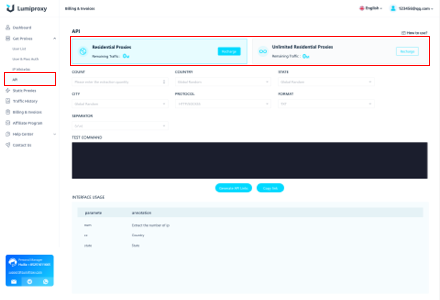
Step 1
Open the API extraction interface, first select the package you want to use
lumiproxy
lumiproxy
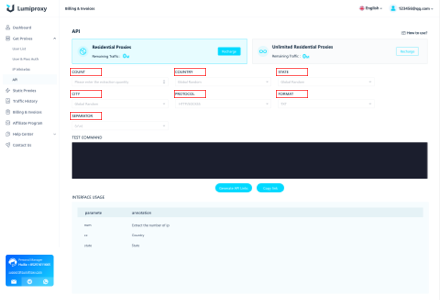
Step 2
Secondly, select the number of IPs to be extracted. Then select parameters such as country, city, and PROTOCOL.
lumiproxy
lumiproxy
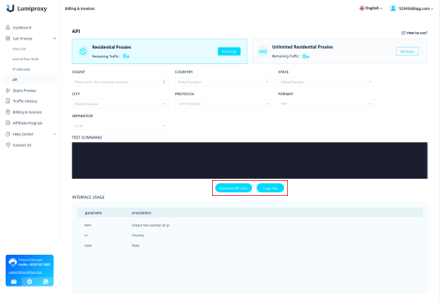
Step 3
Finally click Generate API link. After generating the link, you can choose to copy the link or open the link.
lumiproxy