Deutsch
Hilfezentrum?  Die nutzerführer
Die nutzerführer MacOs and Lumiproxy Proxy settings
236 Es ist ein aktuelles ereignis.
Step 1:
Step 2:
Find the network proxy Settings
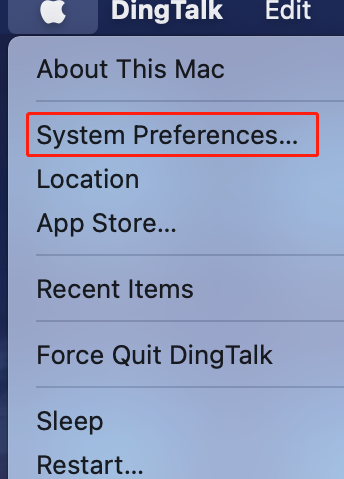
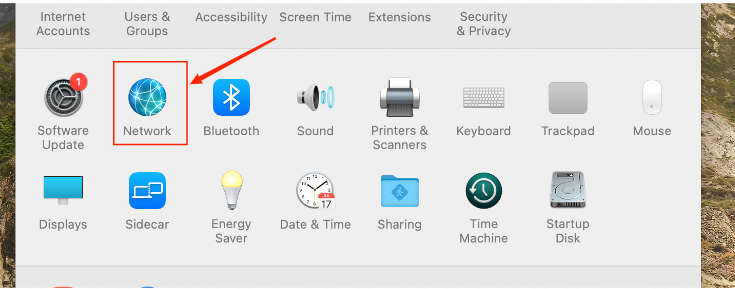
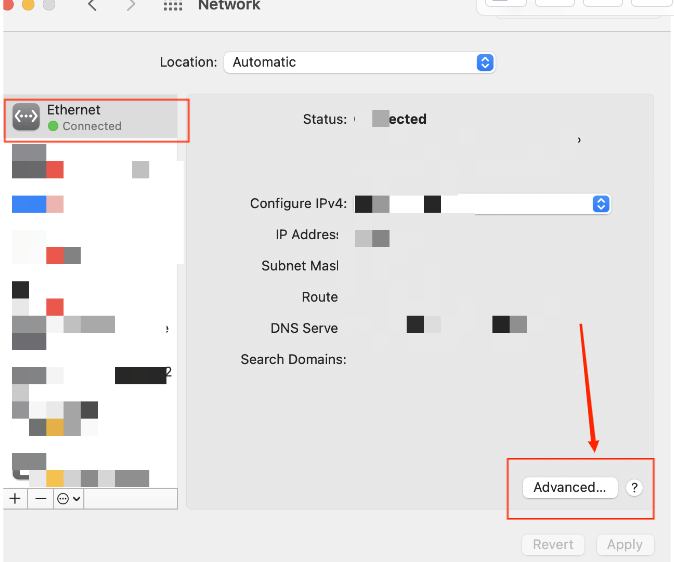
Apple button > System Preferences > Network > Advanced
Click on the Apple logo (upper left corner)
1. Click on "System Preferences"
2. Click "Network"
3.Click "Advanced"
Step 3:
Set up and use a proxy server
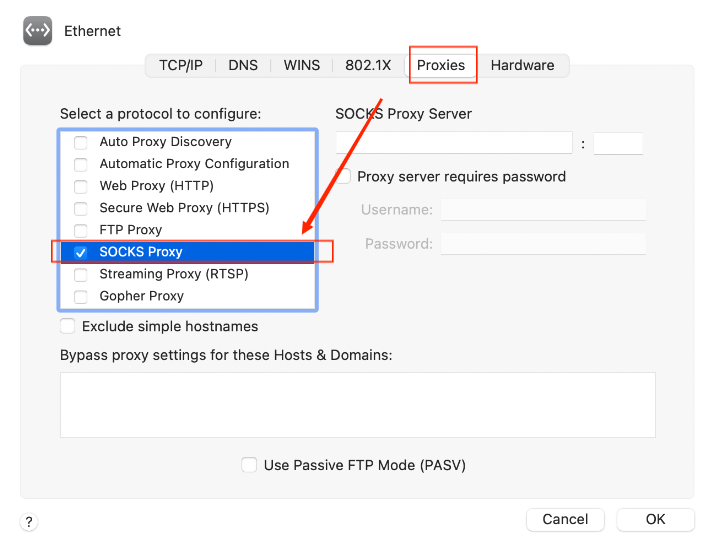
Proxy > SOCKS Proxy > Local Proxy Address and Port > OK > Application
1. Select the proxies TAB
2. Select "SOCKS Proxy"
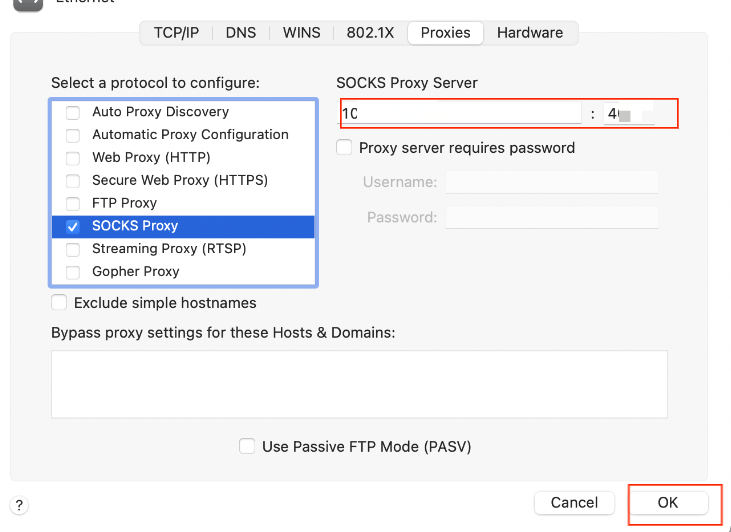
3.Fill in your local proxy address and port
4.Click Apply
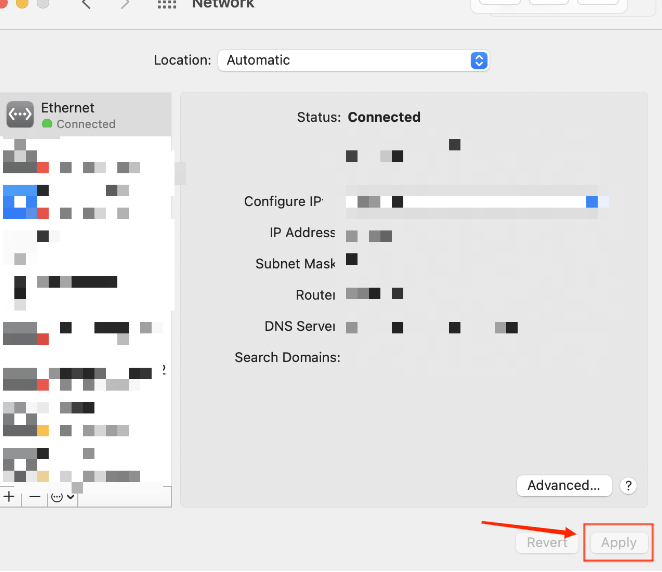
The proxy succeeds after the previous steps are complete
Benötigen Sie Hilfe? E-Mail: [email protected]