Việt Nam
Trung tâm cứu trợ  Hướng dẫn sử dụng Proxy dân cư
Hướng dẫn sử dụng Proxy dân cư MAC Configuration
307 Ngày trước.
Before Configuration: Obtain the IP Refer to the tutorial
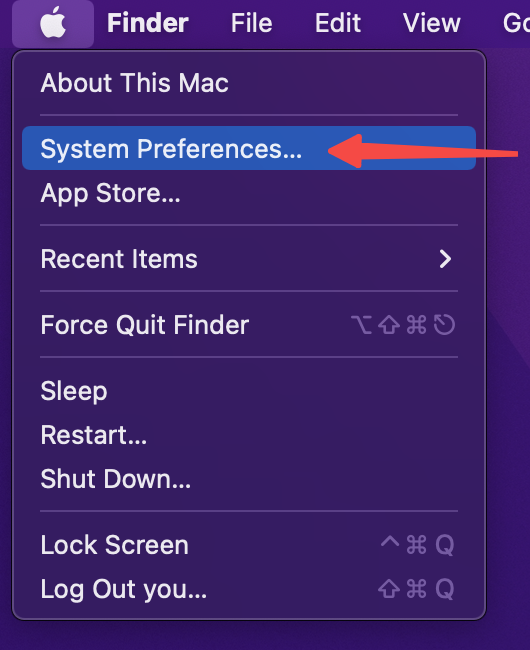
1.Click the icon at the top left corner and go to System Preferences.
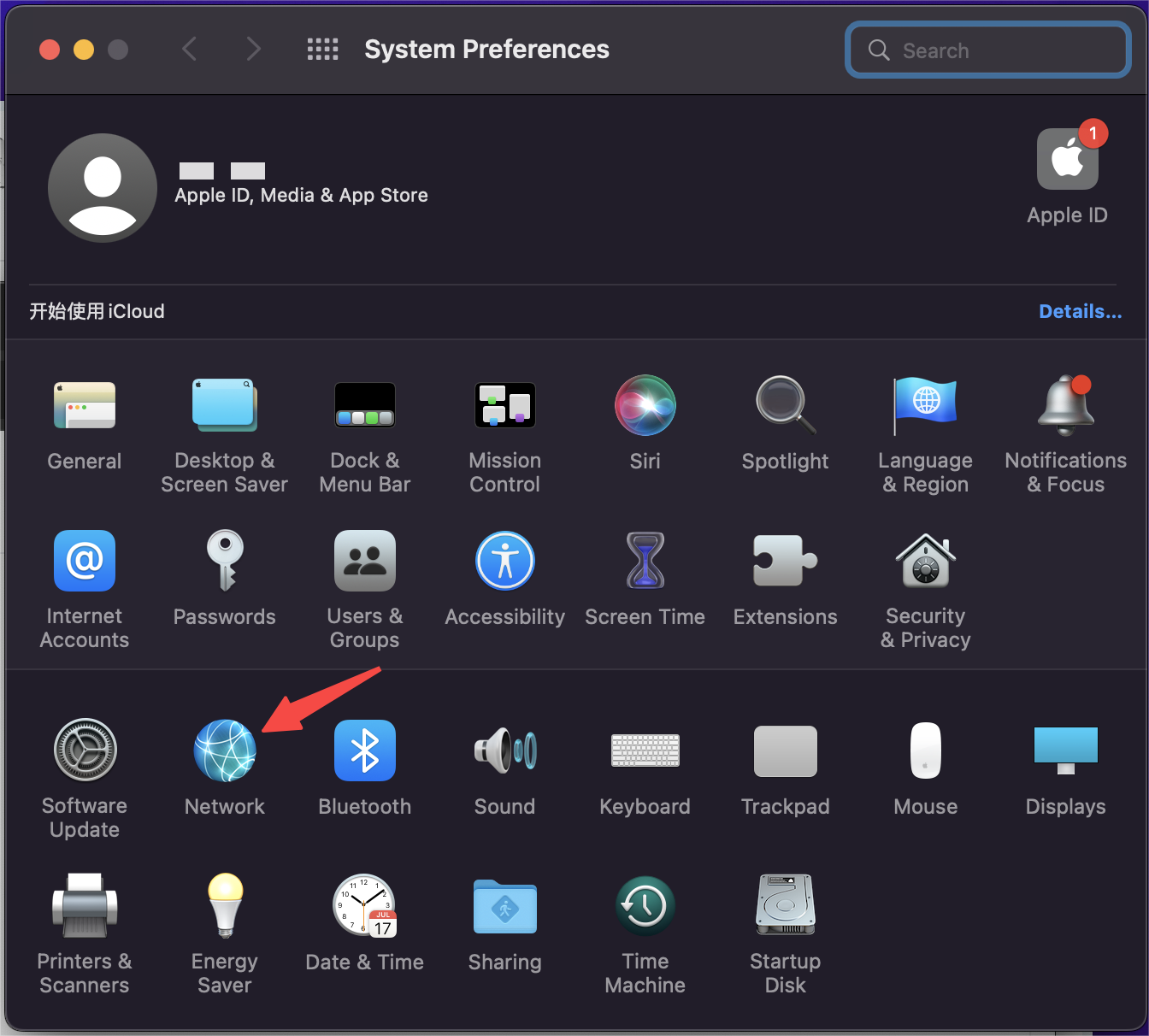
2.Click on Network.
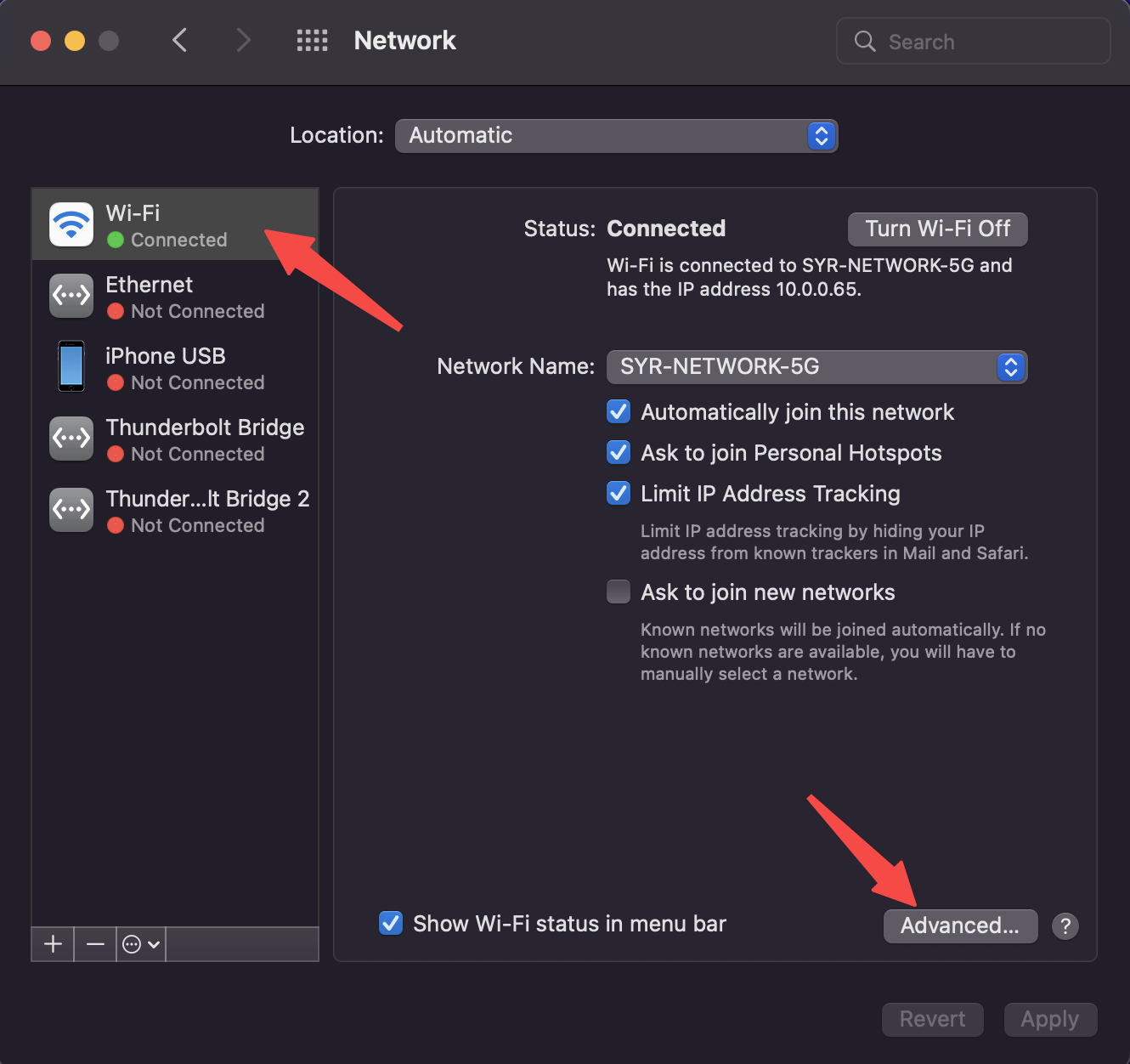
3.Click the Advanced button at the bottom right of the window.
4.Click on Proxies, select "Web Proxy (HTTP)," "Secure Web Proxy (HTTPS)," and "SOCKS Proxy," then enter your proxy settings respectively.
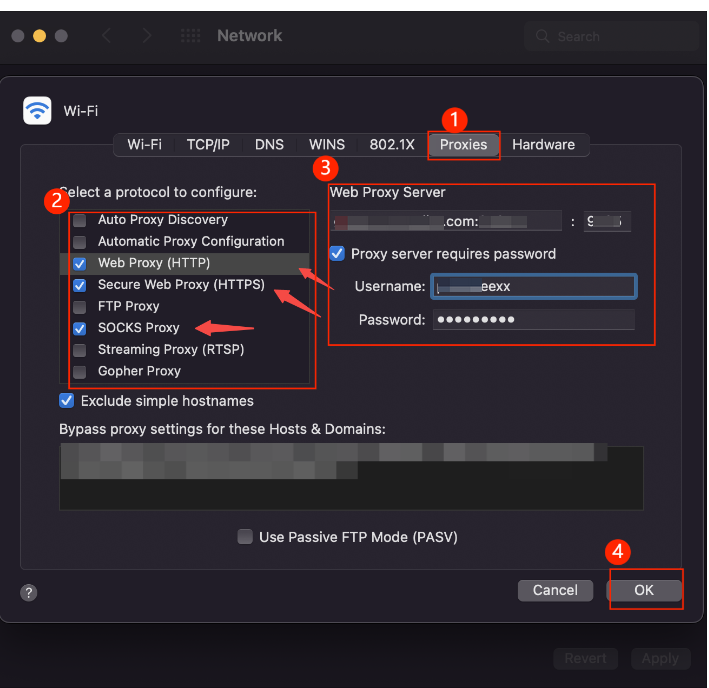
5.Click OK to complete the configuration.
6.In the browser, enter the configured IP address to verify the settings.

Cần giúp đỡ gì không? Email: [email protected]