Indonesia
Pusat bantuanname  Panduan penggunaname Proxy Perumahan Statis
Panduan penggunaname Proxy Perumahan Statis AdsPower Configuration
329 Beberapa hari lalu
Please obtain the IP before configuration
Please refer to the tutorial:
1. Enter the AdsPower interface and click "New Browser" on the left.
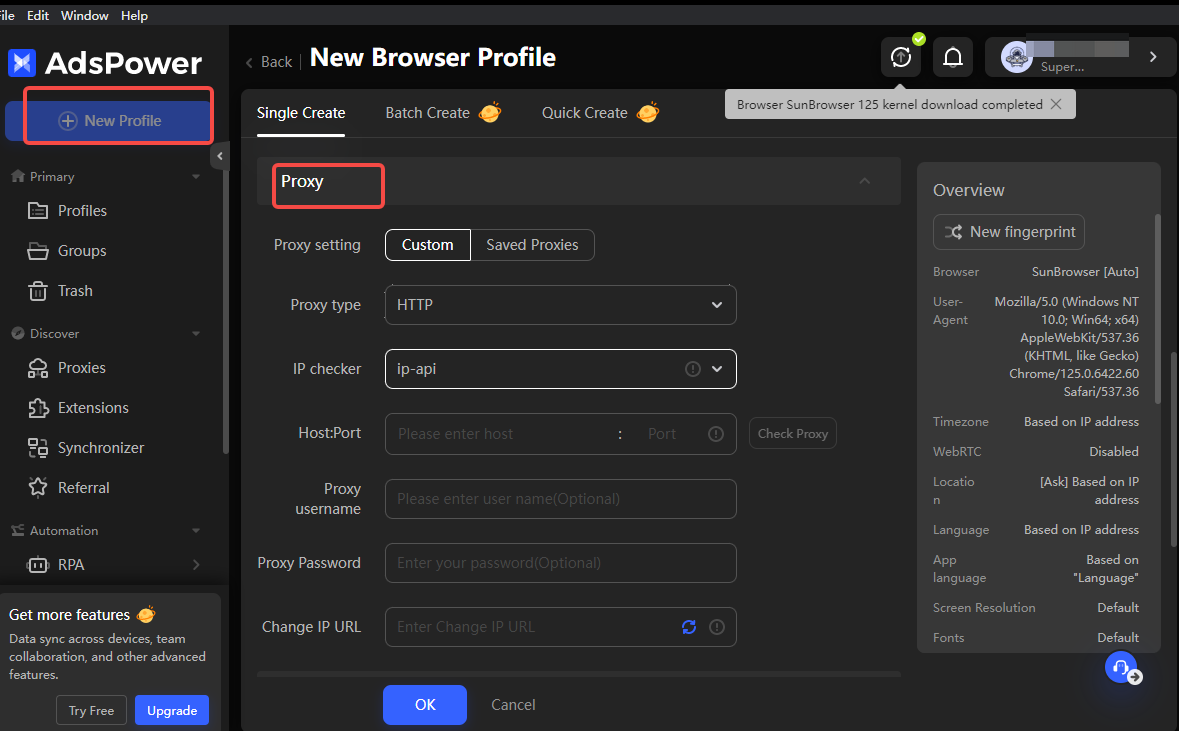
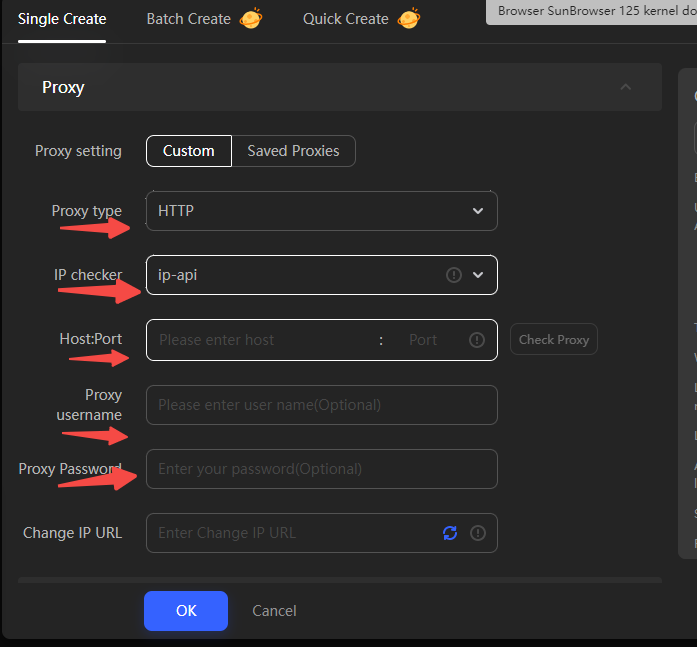
2. Scroll down to find the proxy configuration column, select "Custom", fill in the generated link in the "host: port" format, and then fill in the proxy account and password in turn.
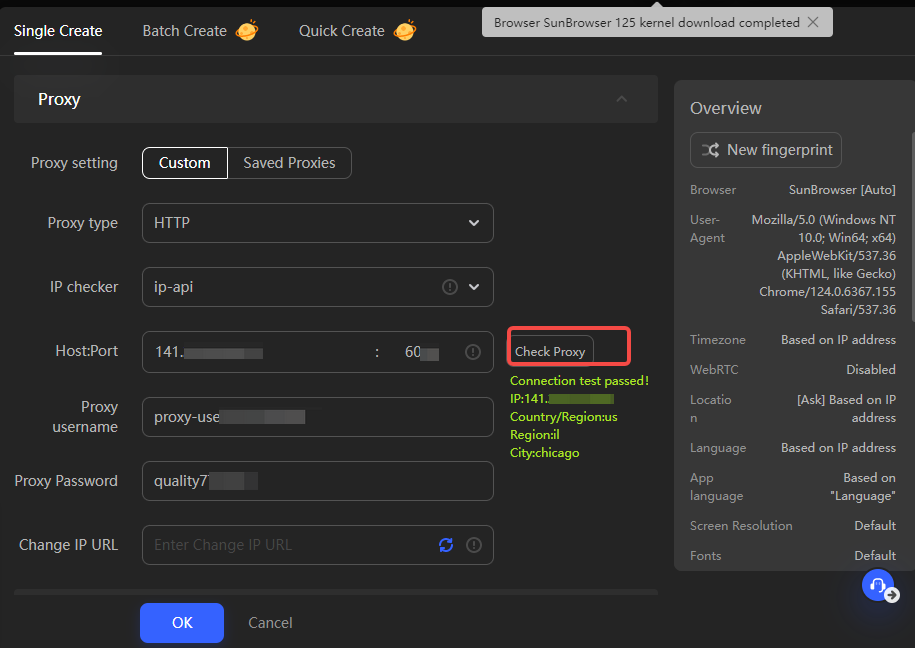
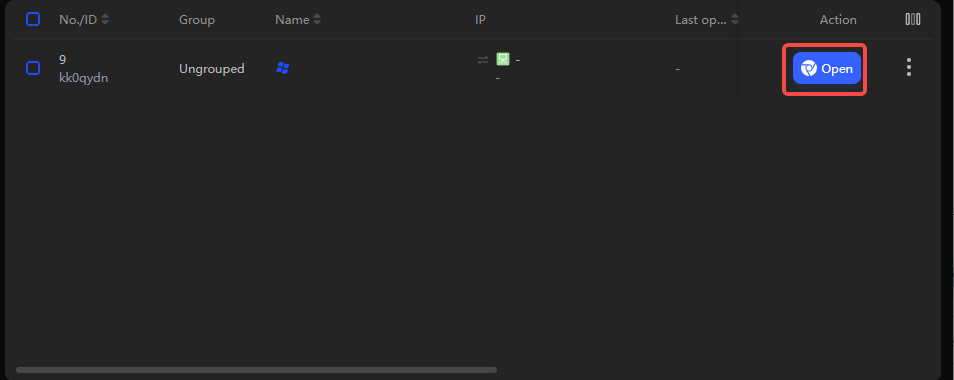
3. Click Check Proxy to test whether the connection is successful, then click "OK". If successful, it will jump directly to the "Environment Management" interface and you can open it for use.
Butuh bantuan? Email: [email protected]