English
Help Center  User Guide
User Guide Mac and Lumiproxy proxy settings
236 days ago · Updated
Step 1:
Step 2:
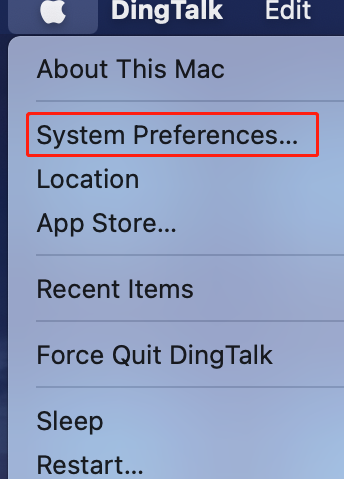
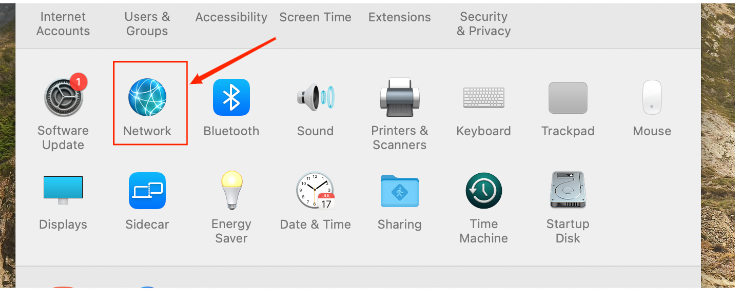
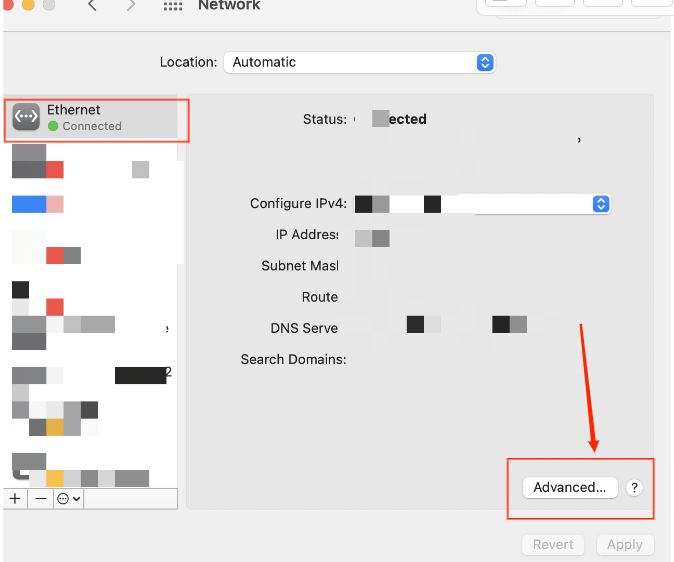
Click on Apple logo at the top left corner > System Preferences > Network > Advanced
1. Click on "System Preferences"
2. Click on "Network"
3. Click on "Advanced"
Step 3:
Setting up proxy service:
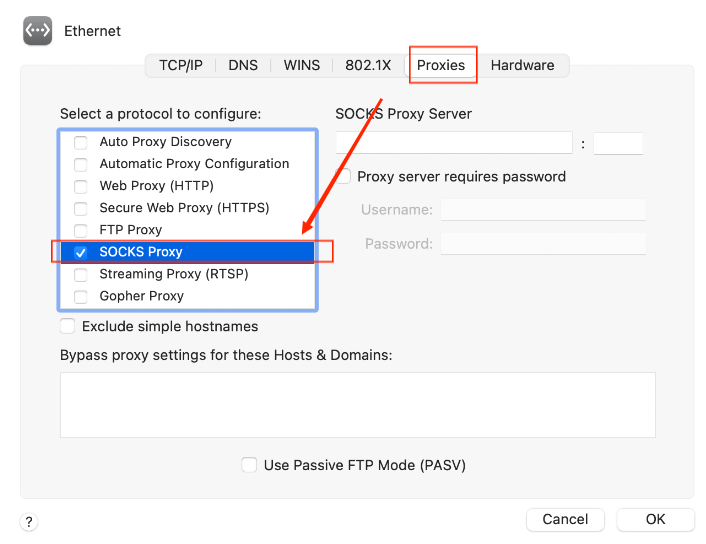
Proxy > SOCKS Proxy > Local Proxy Address and Port > OK > Application
1. Select the "Proxies" then select the protocol "SOCKS Proxy":
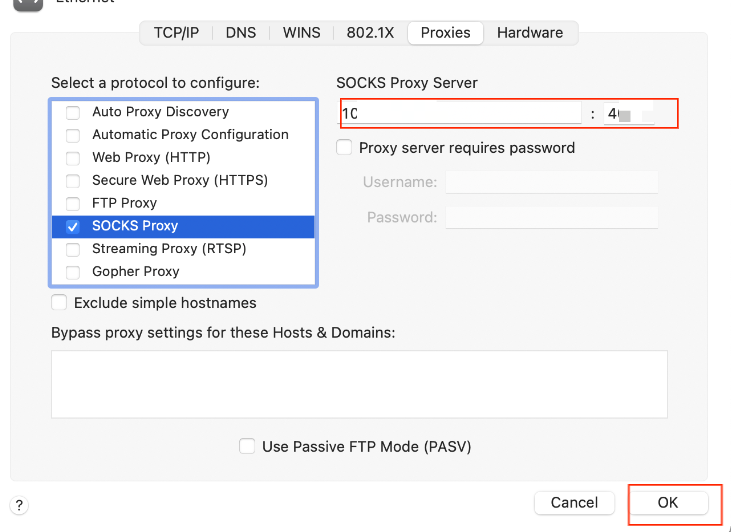
2. Fill in your local proxy address and port:
3. Click "Apply":
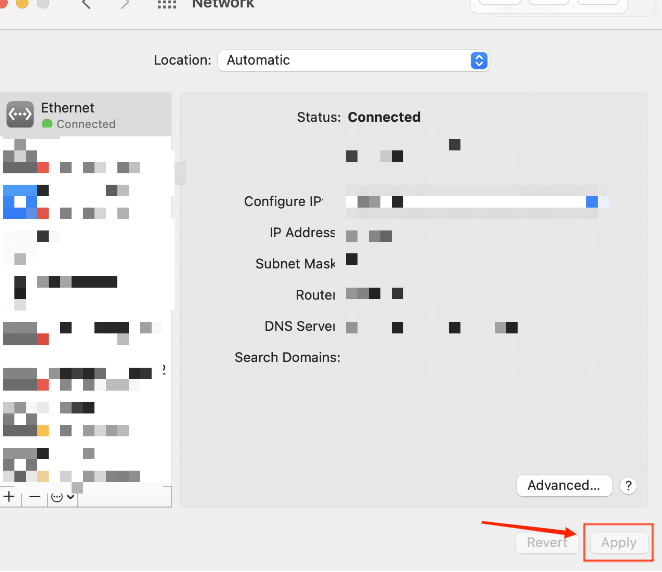
The proxy becomes operational once the previous steps are concluded.
Need any help? Email: [email protected]