幫助中心  用戶指南 靜態住宅代理
用戶指南 靜態住宅代理 Firefox browser configuration
419 天前·更新
Before Configuration: Obtain the IP Refer to the tutorial:
1. Open Firefox.
2. Click the settings ☰ icon > Settings (or Preferences on Mac).
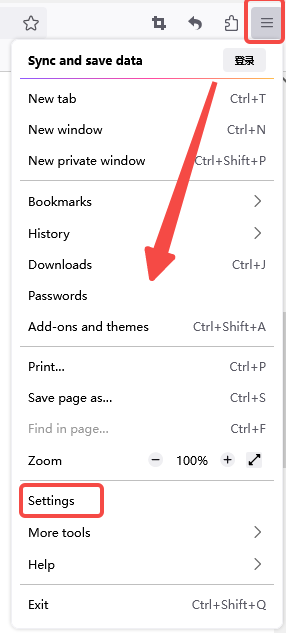
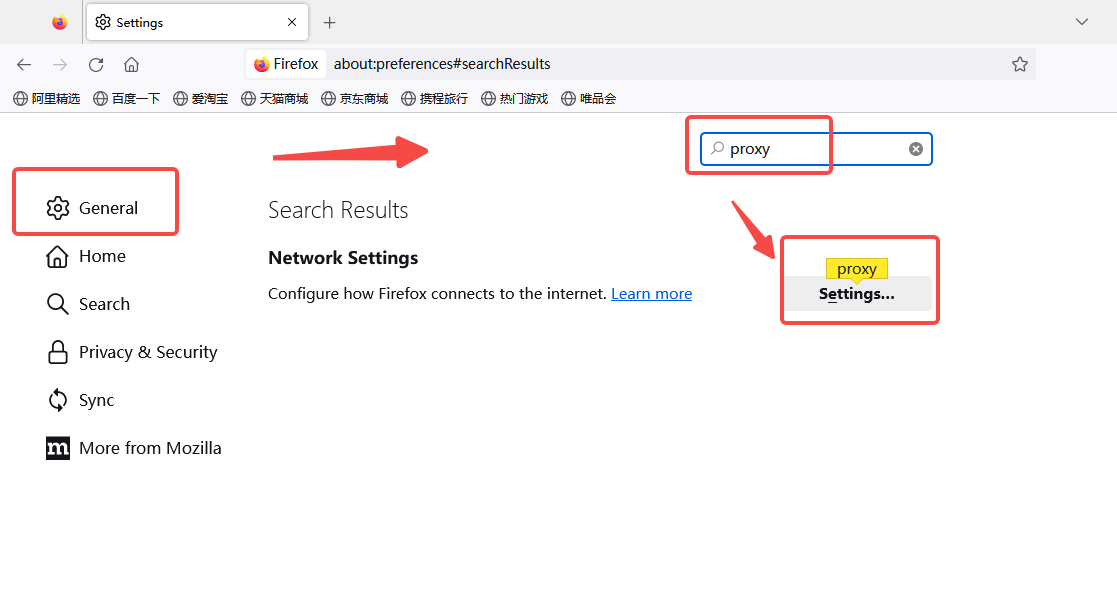
3. Click the General tab.
4. Scroll down to the Network Proxy section and click Settings.
5. Select the Manual proxy configuration box.
6. Add the endpoint (e.g., 88.X.X.X) and port (e.g., 6011) to the HTTP Proxy field. You can also use this proxy for the SOCKS Host checkbox.
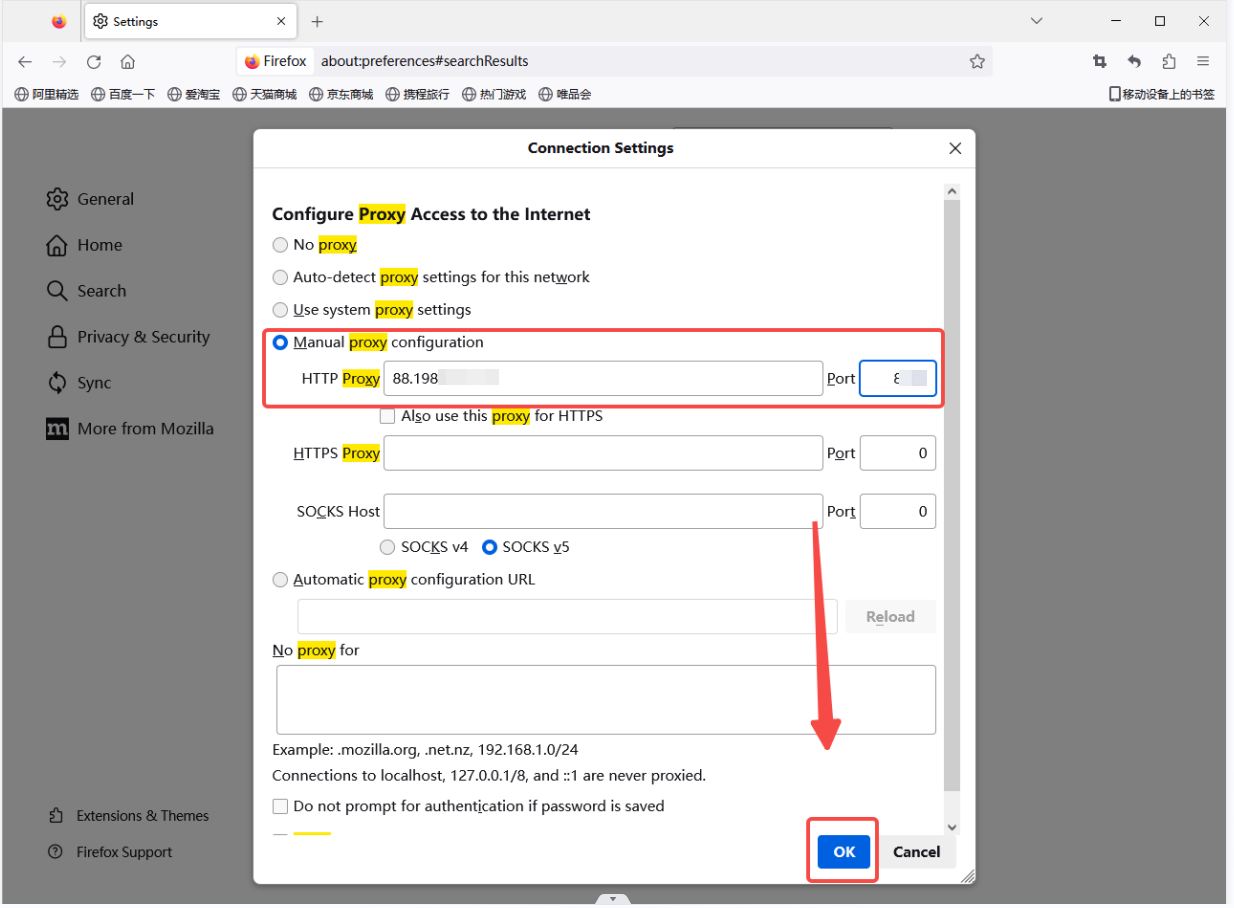
7. Click OK.
8. To check if the proxy is working, visit https://api.ip.cc/ and verify the IP.
需要幫忙嗎? 電子郵件: [email protected]